
Best Size for Instagram Posts and How to Crop Correctly
Getting the right Instagram post size is crucial for your content to look professional and engaging. In 2024, Instagram supports multiple aspect ratios, but knowing the optimal dimensions will help your images stand out in the feed.
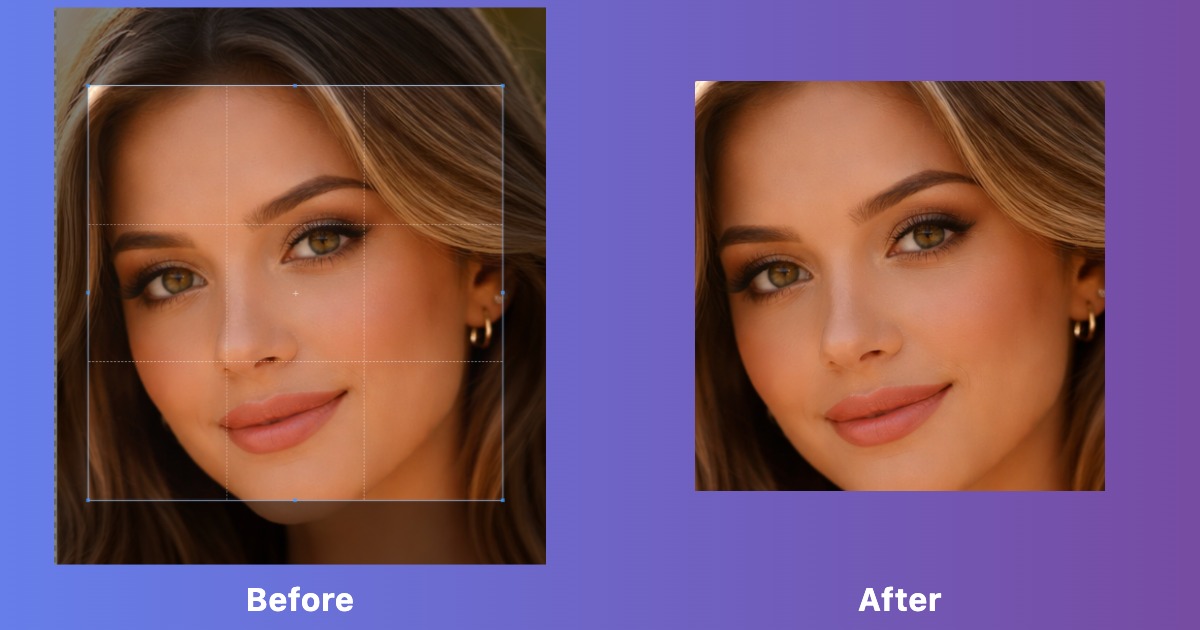
Instagram Post Dimensions (2024)
Square Posts (1:1 Ratio)
Recommended Size: 1080 x 1080 pixels
The classic Instagram format. Square posts work great for:
- Product photos and online stores
- Quotes and text graphics
- Consistent grid aesthetics
- Maximum visibility in both feed and profile grid
Portrait Posts (4:5 Ratio)
Recommended Size: 1080 x 1350 pixels
The most recommended format for Instagram feeds. Vertical posts:
- Take up 20% more screen space than square posts
- Increase visibility and engagement
- Perfect for portraits and tall subjects
- Better for mobile viewing (most users scroll vertically)
Landscape Posts (1.91:1 Ratio)
Recommended Size: 1080 x 566 pixels
Wide format posts are ideal for:
- Panoramic photos and landscapes
- Wide product shots
- Group photos
- Viewing on desktop screens
How to Resize Images for Instagram
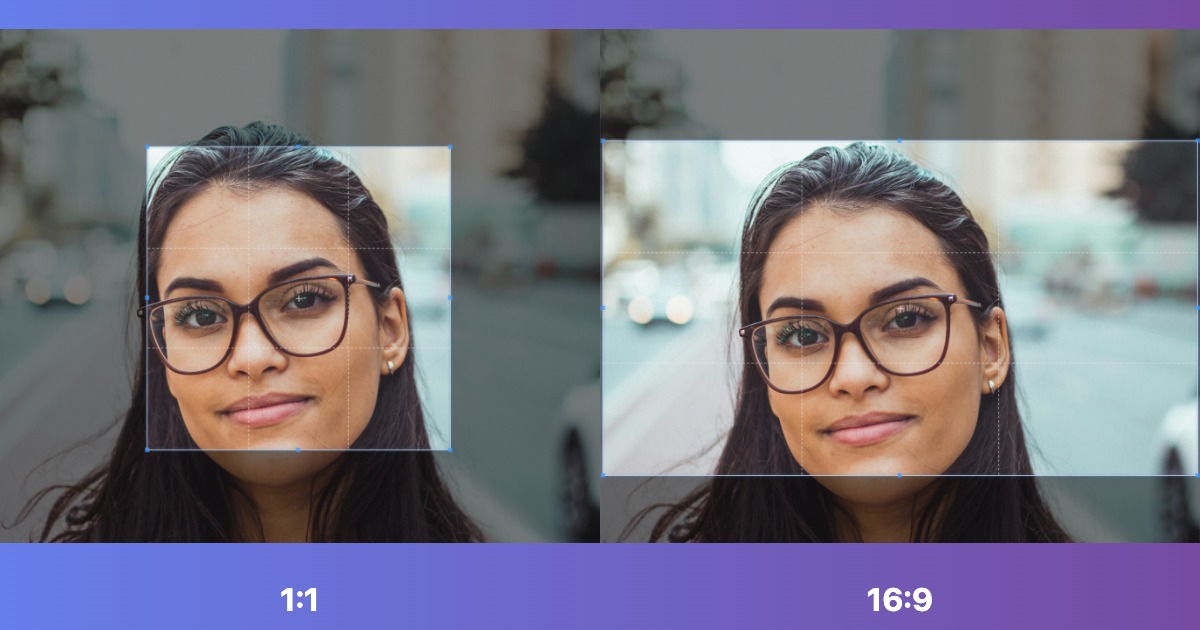
- Use our Image Resize Tool to adjust dimensions
- Select your target Instagram format:
- Square: 1080 x 1080px
- Portrait: 1080 x 1350px
- Landscape: 1080 x 566px
- Choose whether to crop or fit with padding
- Download your optimized image
- Upload to Instagram with perfect dimensions
Other Instagram Image Sizes
Instagram Stories
Size: 1080 x 1920 pixels (9:16 ratio)
A vertical full screen format that works best on mobile. Stories disappear after 24 hours unless you save them to Highlights.
Instagram Reels
Size: 1080 x 1920 pixels (9:16 ratio)
Same as Stories but for video content. Reels are Instagram's TikTok competitor and get prioritized in the algorithm.
Instagram Profile Picture
Size: 320 x 320 pixels (displayed at 110 x 110)
Upload at least 320x320 for best quality. The image will be cropped to a circle, so keep important elements centered.
Instagram Carousel Posts
Size: 1080 x 1080 pixels (all images should match)
For carousel posts with several images, keep every image the same size and aspect ratio for a smooth swipe experience.
Best Practices for Instagram Images
Resolution & Quality
- Minimum width: 1080 pixels (Instagram's compression threshold)
- Maximum file size: 30 MB per image
- Formats: JPG or PNG (Instagram converts to JPG)
- Quality: Use 80 to 90% JPG quality for a good balance of file size and clarity
Composition Tips
- Leave 5% margin on all sides to avoid cropping by Instagram's interface
- Place important elements in the center for profile grid preview
- Use clear images with strong contrast so they stand out in the feed
- Optimize brightness for mobile screens (slightly brighter than desktop)
Optimization for Engagement
- Portrait format (4:5) gets the most engagement (20% more screen space)
- Use image compression to reduce file size while maintaining quality
- Avoid very busy images. Instagram usually favors clear, simple visuals
- Test different formats to see what resonates with your audience
Common Instagram Sizing Mistakes
1. Uploading Low Resolution Images
Images below 1080px width will be upscaled by Instagram, resulting in pixelation and blur. Always start with at least 1080px wide.
2. Inconsistent Aspect Ratios in Carousels
Mixing square and portrait images in one carousel post creates awkward cropping. Keep all images in the same ratio.
3. Forgetting Mobile Preview
90% of Instagram users are on mobile. Always check how your image looks on a phone screen, not just desktop.
4. Compressing Images Too Much
While file size matters, compressing too much creates artifacts. Use our optimization tool to find the perfect balance.
Quick Reference Table
| Format | Aspect Ratio | Recommended Size | Best For |
|---|---|---|---|
| Square Post | 1:1 | 1080 x 1080px | Products, quotes, grid consistency |
| Portrait Post | 4:5 | 1080 x 1350px | Maximum feed visibility, portraits |
| Landscape Post | 1.91:1 | 1080 x 566px | Panoramas, wide shots |
| Stories/Reels | 9:16 | 1080 x 1920px | Full screen mobile content |
| Profile Picture | 1:1 | 320 x 320px | Account branding |
Resize Your Images for Instagram
Get perfect Instagram dimensions in seconds with our free resize tool!
Resize Images Now