
Image Aspect Ratio Guide for Cropping Photos Correctly
Aspect ratio decides the shape of your image before anyone notices the pixels. If you pick the right ratio first, your photo fits the destination cleanly and you avoid awkward cropping, black bars, or stretched subjects.
What Is an Image Aspect Ratio?
Simple Definition
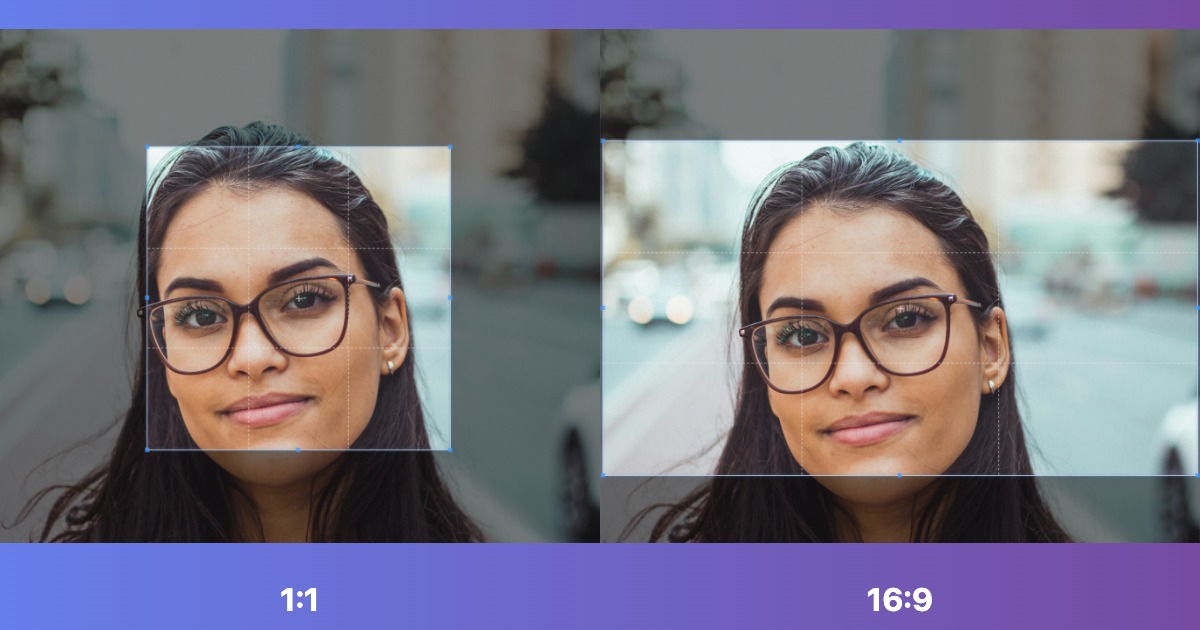
Aspect ratio is the relationship between width and height.
1:1 means the image is perfectly square.
16:9 means the image is wide and short, common for video and screens.
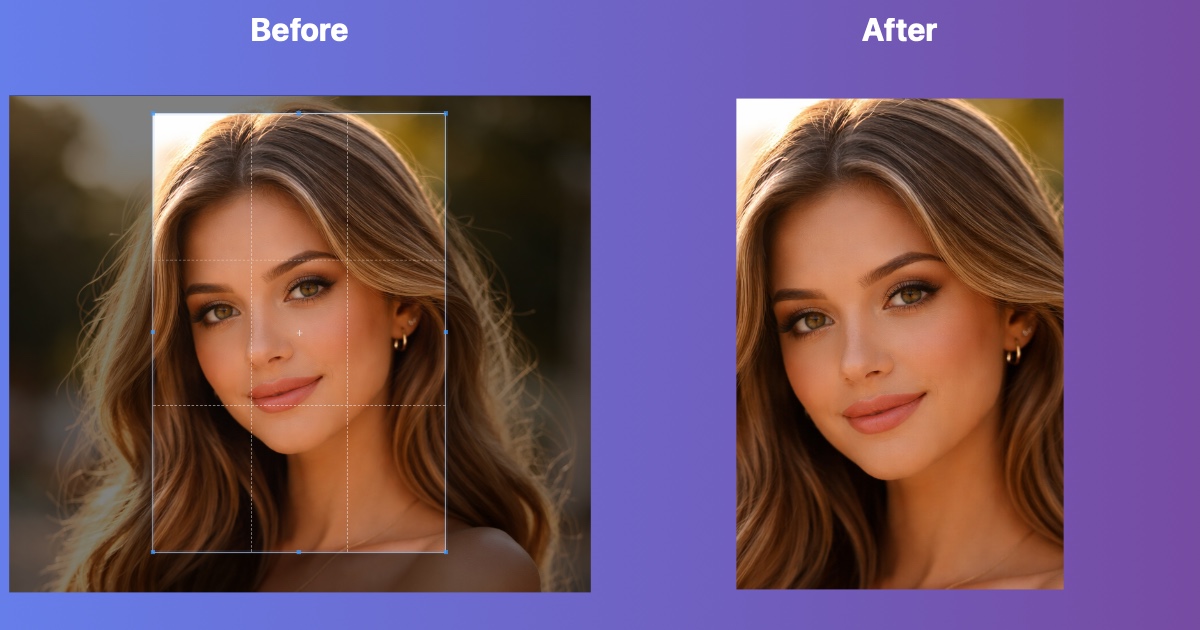
4:5 means the image is taller than it is wide, common for Instagram portrait posts.
Aspect ratio is different from resolution. A 1600 x 900 image and a 1920 x 1080 image are both 16:9. The pixel dimensions changed, but the shape stayed the same.
Why Aspect Ratio Matters Before You Crop
- Better composition: You decide what stays inside the frame instead of letting a platform crop it automatically.
- Cleaner uploads: Social platforms usually look best when your image already matches the expected shape.
- Consistent branding: Banners, thumbnails, and product images look more professional when every file follows the same ratio.
- Less distortion: Cropping to the correct ratio avoids stretching an image just to make it fit.
Most Common Aspect Ratios
1:1 Square
Use 1:1 cropping for profile-friendly images, product grids, and square social posts.
4:5 Portrait
Use 4:5 cropping for Instagram feed posts when you want a taller image that takes up more screen space on mobile.
16:9 Widescreen
Use 16:9 cropping for YouTube thumbnails, presentation slides, desktop wallpapers, and horizontal video covers.
9:16 Vertical
Use 9:16 cropping for Stories, Shorts, Reels, and any full screen vertical content.
4:3 and 3:2 Photo Ratios
4:3 and 3:2 are classic camera ratios. They work well for photos you want to keep looking natural without a heavy social media crop.
21:9 Ultrawide
Use 21:9 cropping for cinematic hero images, panoramas, and extra-wide headers.
Best Aspect Ratios for Social Media
Quick Social Reference
- Instagram square post: 1:1
- Instagram portrait post: 4:5
- Stories and Reels: 9:16
- YouTube thumbnails: 16:9
- Twitter/X headers: wide banner crop, often prepared with Twitter header crop
- Profile photos: usually uploaded square, then masked into circles by the platform
If the platform also requires exact dimensions, crop to the ratio first and then resize. For example, a Twitter header is easiest when you prepare the composition with a wide crop and then send it to 1500 x 500 resizing.
Best Aspect Ratios for Print and Photography
- 3:2: common for DSLR and mirrorless photos, plus many print sizes.
- 4:3: common on phones, tablets, and older digital cameras.
- 5:4: useful for 8x10 style portrait prints.
- 7:5: useful for 5x7 prints.
If you plan to print later, choose the final print ratio early so you do not lose important edges after editing.
How to Crop to the Right Aspect Ratio
- Open our aspect ratio crop tool.
- Upload one or more photos.
- Choose a preset ratio like 1:1, 4:5, 16:9, or 9:16.
- Move the crop box so the subject stays centered and important edges remain visible.
- Rotate or zoom if needed, then download the cropped result.
If you need an unusual shape, you can also type a custom ratio directly in the tool and lock it before cropping.
Common Aspect Ratio Mistakes
1. Resizing Instead of Cropping
Changing width and height without keeping the original ratio can stretch faces, logos, and product photos. Crop first, then resize.
2. Cropping Too Tight
A ratio change often removes more of the edges than expected. Leave margin around faces, text, and logos so they do not get clipped.
3. Ignoring the Final Platform
A ratio that looks great for print might not work for a vertical social post. Always start with the destination in mind.
4. Centering the Crop Automatically
Auto-centered crops can cut off the subject. Check the preview and drag the crop area to protect the important part of the image.
Aspect Ratio Quick Reference
Free Tools for Working with Aspect Ratios
- Aspect Ratio Crop Tool: Lock the crop area to a preset or custom ratio.
- Custom Crop Tool: Manually crop unusual layouts and compositions.
- Image Resizer: Resize after cropping when a platform requires exact pixel dimensions.
Crop to the Right Ratio Now
Choose a preset like 1:1, 4:5, or 16:9 and get the composition right before you resize.
Open Aspect Ratio Crop Tool